


"Your Team + Twib = Success"
Verify every customer visit with GPS-verified check-ins, photos, visit duration, and outcomes—and connect them to orders, collections, expenses, attendance, and live reports in Twib, the all‑in‑one field sales platform.


If your team still relies on manual logs, WhatsApp messages, or spreadsheets, you're probably asking the same questions every week:
 Did the visit actually happen? How long did the rep stay at the customer location? What was the outcome—orders, collections, next steps? Are expense claims and attendance aligned with real visits?
Twib’s customer visit tracking app gives you real‑time visibility and proof—so managers get facts, reps spend more time selling, and finance stops chasing mismatched claims. Competitors push basic visit timers; Twib unifies visits + sales execution + reimbursements + payroll to give you an operational edge end‑to‑end.
Create day plans and routes in minutes. Use Beat Plan/PJP to set recurring cycles, assign territories, and prioritize high‑value outlets. Reps can also discover nearby customers to fill gaps and boost coverage.
Reps check in at the customer’s geo‑location. Twib logs coordinates, timestamp, device status, and an optional selfie/photo for proof of presence. Check‑out captures departure time and updates visit duration automatically. Works offline; syncs when the network returns.
During the visit, reps can add notes, voice comments, attachments, and follow‑ups. With Twib, visits aren’t just “marked”—they’re converted into results.
Open your mobile catalog, create orders, apply discounts, and share branded PDFs instantly. Record collections against invoices with references and receipts. Your field visit becomes a revenue moment.
Link per‑visit mileage and bill images directly to the visit record. Policy caps and approval flows reduce back‑and‑forth and speed up reimbursements.
Make attendance automatic with geo rules. Push accurate working hours and activities into payroll—no separate spreadsheets, no misaligned logs.
Track coverage %, visit frequency, time‑on‑customer, plan vs. actual, leaderboards, and territory heatmaps. Export to CSV or sync to your BI tools.
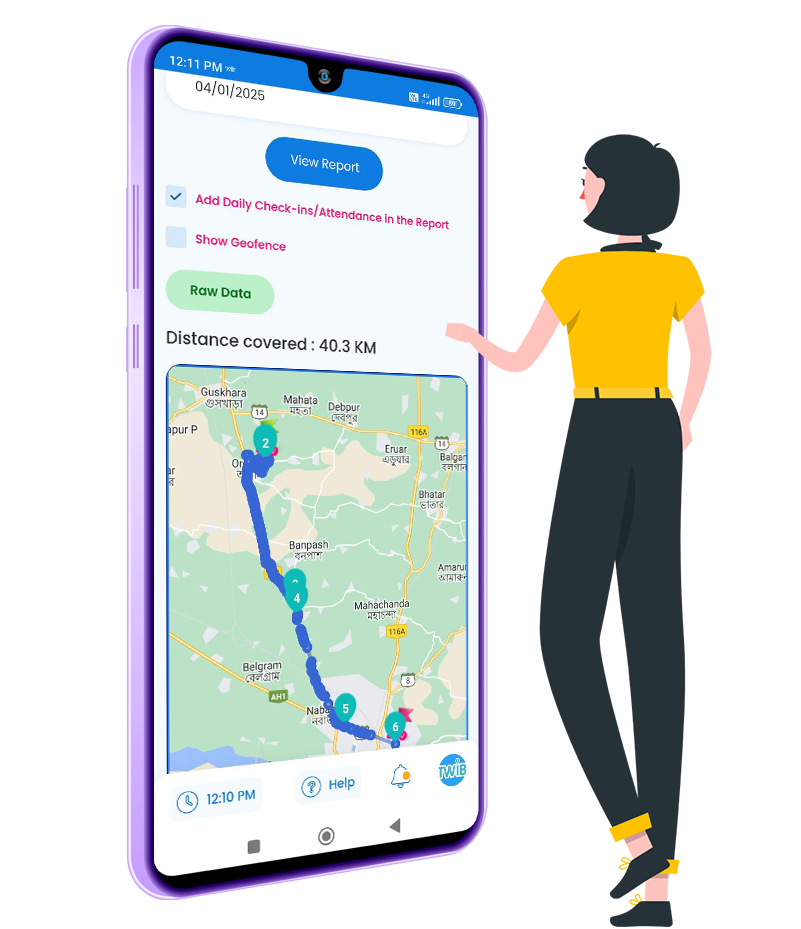 Fencing Creation: You can create custom GEO Fences and assign them to your reps. Strict mode: Rep must be inside the geofence to check in or attendance; else the app blocks the action. Adaptive capture: Twib automatically increase or decrease the GPS singals to improve the accuracy of the GPS while optimizing battery use.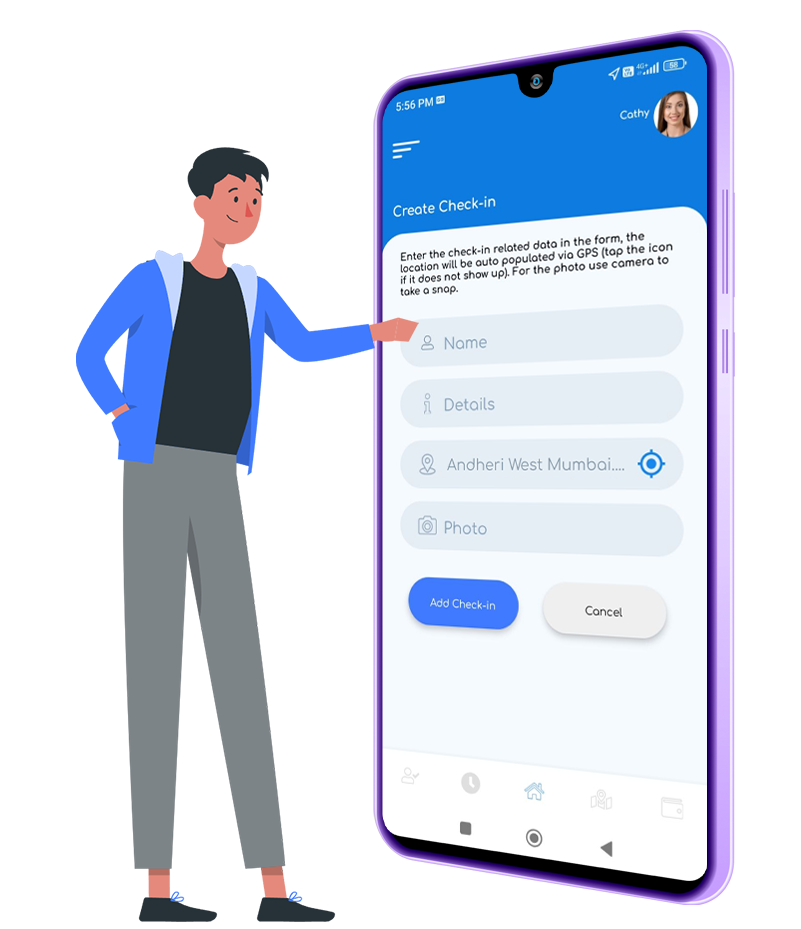
Configurable at company or role level:
Optional, Required at check‑in, Required at check‑in & check‑out. Watermarked proof: Photo is stamped with time, user, and location meta and tied to the visit record. Privacy‑aware: Photos are visible only to authorized roles.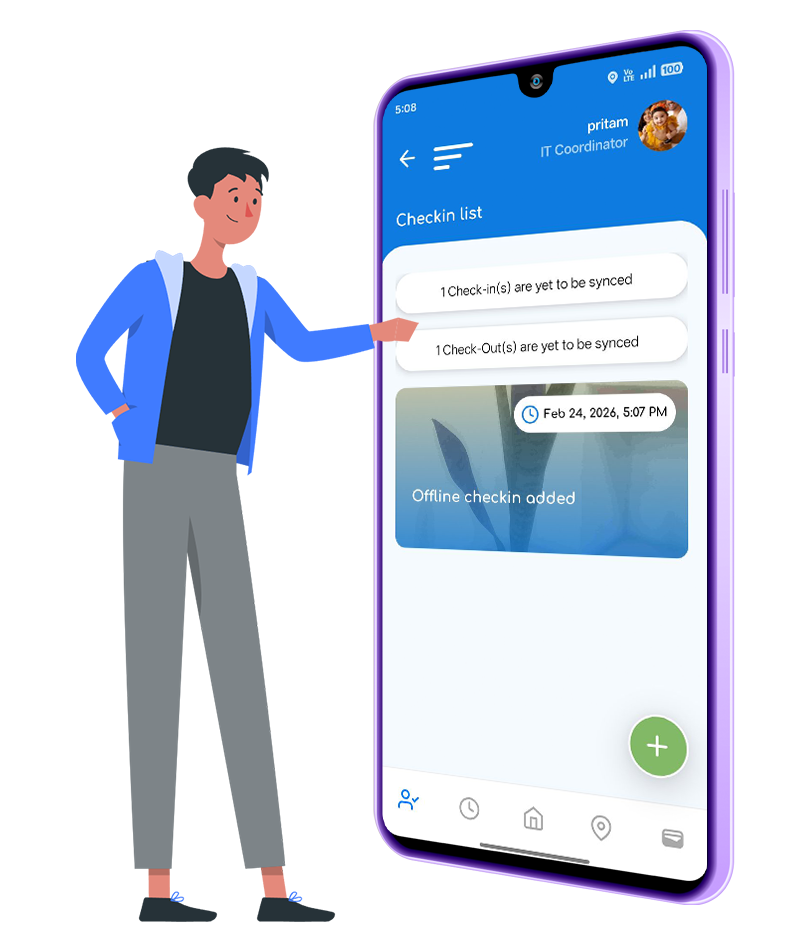 Reps can plan, check in/out, add notes and use GPS while offline. Data queues locally and auto‑syncs when the connection returns. Managers see sync status to know if a rep is offline or the visit is pending upload.
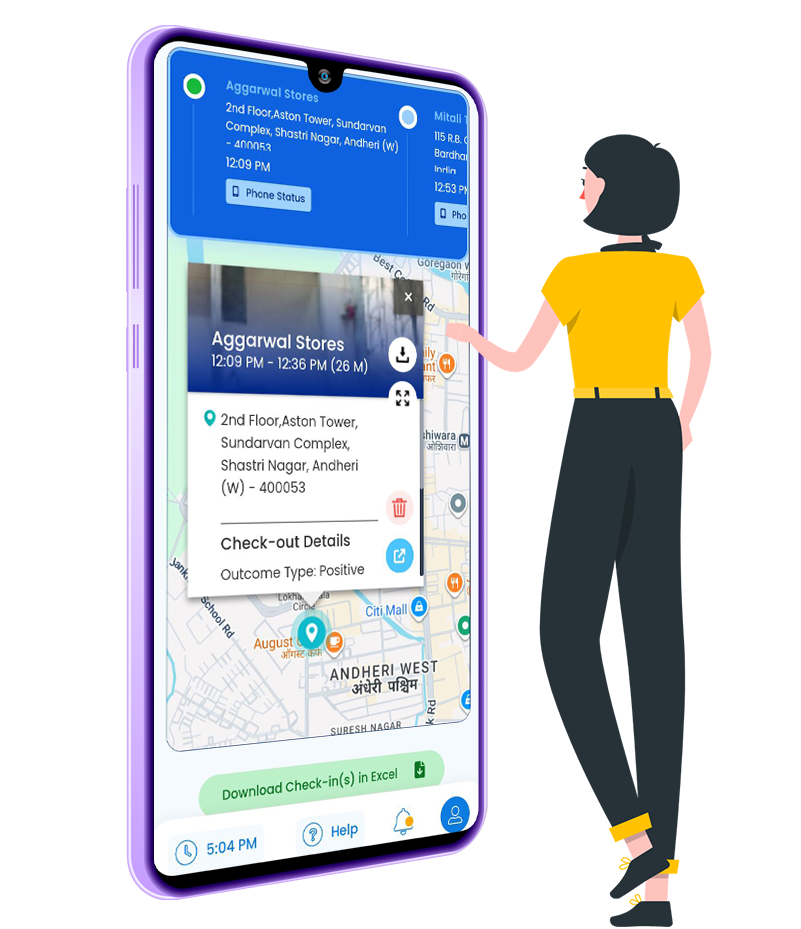 Twib computes visit duration = check‑out time − check‑in time. Auto‑pause: If the rep moves outside geofence for >3 minutes, Twib flags the timeline for review. Auto asses: If a rep forgets end attendance or turned off GPS, Interner or the device, then Twib identify these with its advance AI intellegenc and report to the authority. Multi‑stop days: Daily reports show per-visit duration and total customer-time.
Tip: If you’d like, we’ll share a Visit Timeline screenshot showing the check‑in, on‑site duration, and checkout markers for your page hero.
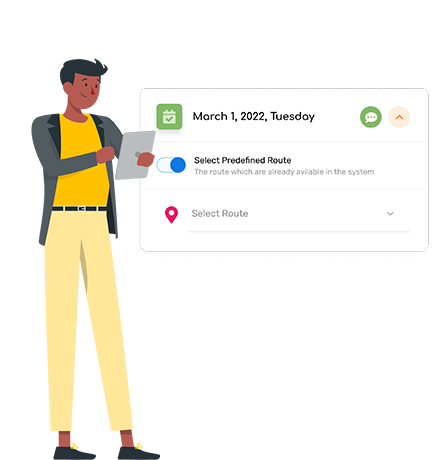 Plan day & assign visits: Beat/PJP, territories, and priorities. Rep arrives & check‑ins: GPS‑verified with optional selfie. Document outcomes: Notes/voice, tasks, photos; log orders & collections. Check-out & sync: Duration captured; expenses tie to the visit. Analyze & optimize: Coverage, cadence, time‑on‑site, plan vs. actual—optimize routes & coaching.
 FMCG & Distribution: Boost outlet coverage, verify merchandising with photos, and compare Beat/PJP plan vs. actual to fix execution gaps quickly. Pharma: Track MR doctor/chemist visits, samples, and frequency adherence—across zones and teams. Field Service & B2B: Site visits with photo proof, tasks, and next steps; verify SLA compliance with time-on-site. Real Estate: Log project site visits and buyer meetings; convert visits to deal progress; verify broker meetups.
 Fewer missed or unverified visits thanks to GPS‑verified check‑ins Higher coverage & cadence with clear plan vs. actual visibility Faster reimbursements and fewer disputes—visits, mileage, and bills tied together More orders & timely collections because reps sell during verified visits Cleaner payroll—attendance is policy‑compliant and aligned to field work
 All‑in‑one: Visits + Orders + Collections + Expenses + Attendance/Payroll + Reports Field‑ready: Works offline, accurate geofencing, photo proof, flexible policies Visibility: Visit duration, coverage %, frequency, and territory heatmaps in one view Scale‑friendly: Multi‑branch, permissions, bulk import, and policy rules
 Exports (CSV) and dashboards for BI tools Webhooks/API for CRM/ERP sync (customer master, orders, collections, attendance summaries) Email/WhatsApp share for quotes/orders (as permitted by your policies)
If you want us to name specific integrations (e.g., CRM/ERP brands or middleware), just share the list—we’ll plug them here pre‑publish.
 Role‑based access to visits, photos, and reports Configurable geofencing, selfie, and auto‑checkout policies Audit trail on visit edits and approvals Data retention and export controls
Simple per‑user pricing. Start with a free trial or schedule a guided walkthrough to see Twib tailored to your process.
If your team still relies on manual logs, WhatsApp messages, or spreadsheets, you’re probably asking the same questions.
Video TestimonialTwib lifted outlet coverage by 21% in 8 weeks and eliminated visit disputes.” — Head of Sales, FMCG Distributor
Twib lifted outlet coverage by 21% in 8 weeks and eliminated visit disputes.” — Head of Sales, FMCG Distributor
Twib lifted outlet coverage by 21% in 8 weeks and eliminated visit disputes.” — Head of Sales, FMCG Distributor
If your team still relies on manual logs, WhatsApp messages, or spreadsheets, you’re probably asking the same questions.
Twib uses device GPS and adaptive signals. You control geofencing creation. If a check‑in occurs outside the threshold, Twib flags it.”
Yes. Set photo/selfie capture to optional, required on check‑in, or required on both check‑in & check‑out. Watermarks store time/user/location.
Twib automatically identify this and send notifictaions to the users past its shift time.
Yes. Twib captures check‑ins, notes, and orders offline and syncs when the network returns.
Yes—use the mobile catalog, share them, and log collections with references and receipts.
Mileage, bills, and per‑visit expenses connect to the visit record and flow into approval layers; attendance policies connect to payroll summaries.
Coverage %, visit frequency, duration/time-on-site, plan vs. actual, leaderboards, analytics, exports.
Most teams import customers, define policies, and go live in a few hours. We'll guide setup and user training.
Yes—role-based permissions control visibility of sensitive data.
Use CSV exports, scheduled reports, and API/Webhooks for your BI/CRM/ERP.